
Printable IFR navigation log
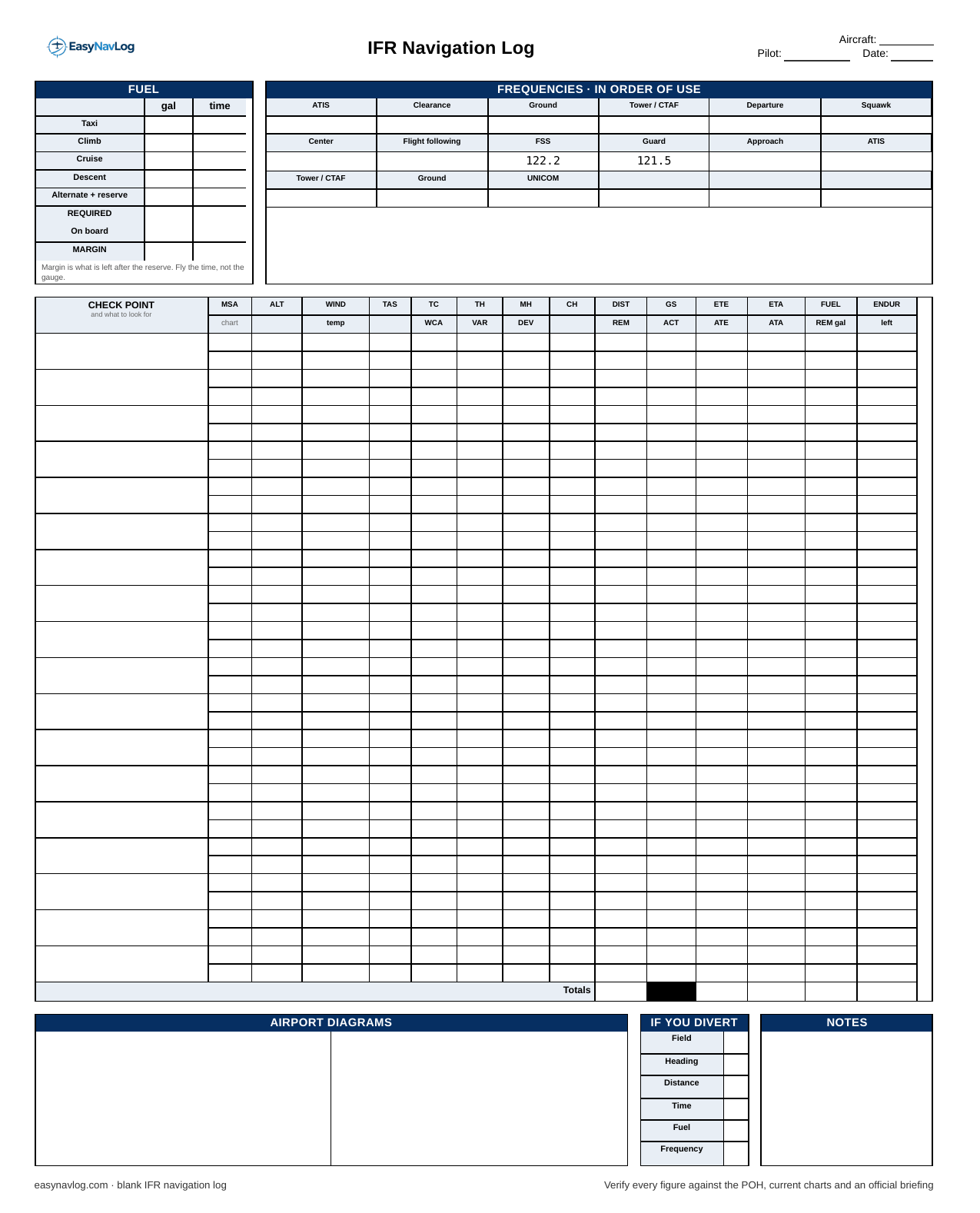
A blank IFR navigation log, free, no account, no email. Two pages: the leg table and fuel on the first, the weather, NOTAMs and a blank ICAO flight plan on the second. Print it and fill it in by hand, or let the app fill it in and print that instead.
What is different about an IFR log
The arithmetic is the same as VFR. Wind, true airspeed and true course still solve to a heading and a ground speed, and distance over ground speed still gives you time. What changes is what the rows are and what the sheet has to hold that a VFR log does not.
The checkpoints are fixes, not landmarks. Every row is a VOR, an intersection, a waypoint or an airport, in the order you will cross them on the filed route. There is nothing to look for out the window, so the "what to look for" line under each name is where the identifier, the radial or the airway goes instead.
The altitude column is your assigned altitude, and MSA does real work. On a VFR log the MSA column is a courtesy. On an IFR log it is where the MEA or MOCA for the segment goes, off the low chart, so that when a clearance comes back lower than you filed you can check it against the chart without unfolding it.
ETE and ETA per fix matter. Position reports, the lost communications rules and a hold all depend on knowing when you expect to cross the next fix. Fill in the estimate before you go and write the actual next to it as you cross each one. The sheet has a column for each.
Fuel includes the alternate and a 45 minute reserve. The fuel block has a line for the alternate and reserve because 91.167 requires fuel to the destination, then to the alternate, then 45 minutes at normal cruise. Required against on board, then the margin. If the margin is small, the alternate is the wrong one or the trip needs a fuel stop.
What is on page one
Fuel. Taxi, climb, cruise, descent and the alternate plus reserve, in gallons and in time. Required, on board, margin. Fly the time, not the gauge.
Frequencies, in order of use. ATIS, clearance delivery, ground, tower, departure and the squawk across the top, then center, flight service, guard and approach, then the arrival set for the destination. On an IFR flight you will be handed off more times than you expect, and having the next frequency already written next to the last one is the difference between a clean readback and a "say again".
Checkpoints. One row per fix. Left to right: the fix and its identifier, MSA or MEA, assigned altitude, wind, true airspeed, true course, true heading, magnetic heading, compass heading, distance, ground speed, ETE, ETA and fuel. The second line of each row takes the corrections and the running totals: wind correction angle, variation, deviation, distance remaining, actual time en route, actual time of arrival and fuel remaining.
Airport diagrams, divert and notes. Sketch the departure and destination fields with the runways you expect. The divert block is for the alternate: field, heading, distance, time, fuel and frequency, filled in before you go so it is already there if you need it. Notes is for the clearance, the expected departure procedure, and whatever the briefer said that you want to remember at altitude.
What is on page two
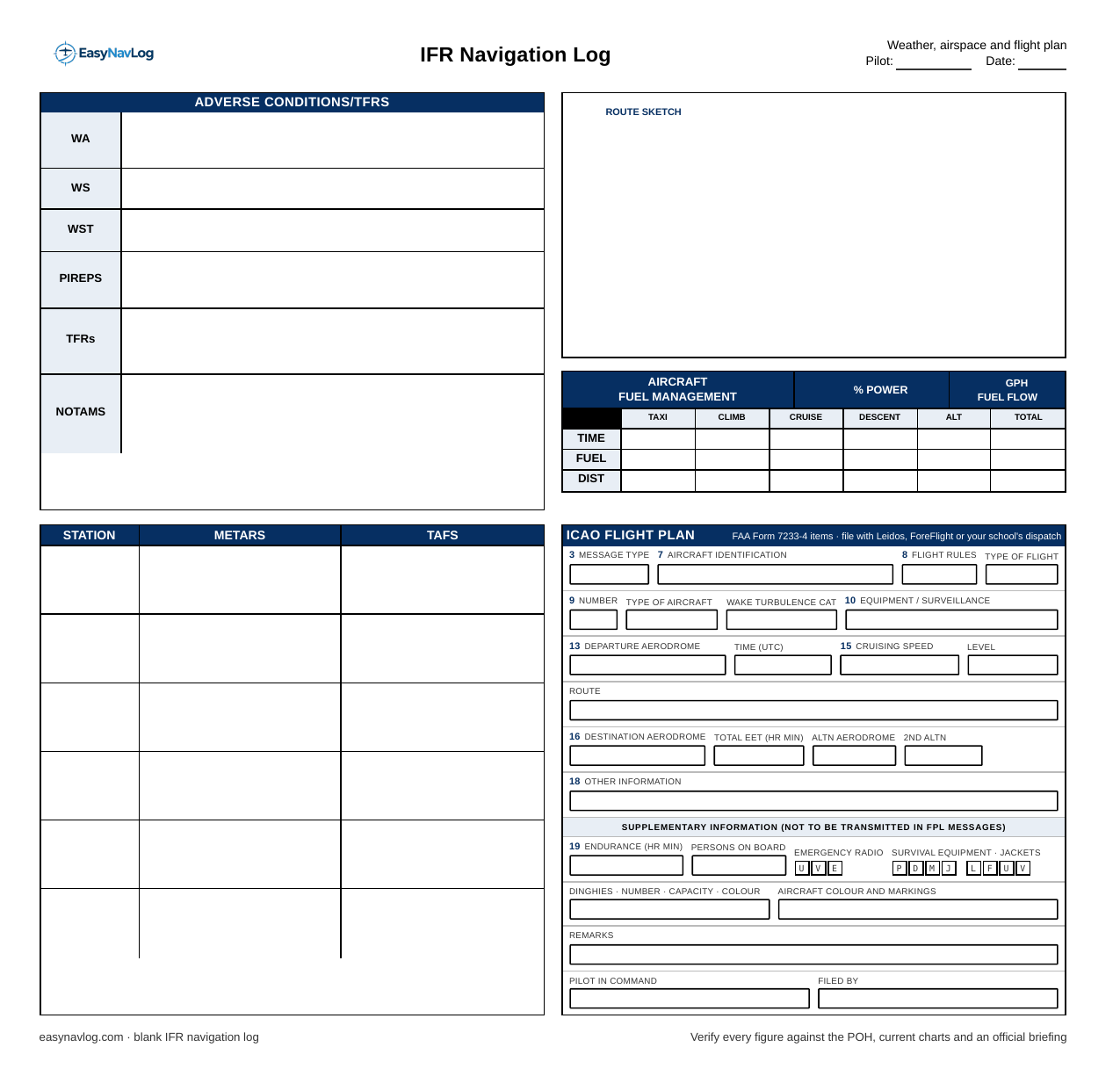
Adverse conditions. Rows for AIRMETs (WA), SIGMETs (WS), convective SIGMETs (WST), PIREPs, TFRs and NOTAMs. This is the briefing, in the order a briefer gives it. Writing it down is the point: an AIRMET for icing that you read once and did not write down is an AIRMET you will not remember at the top of the climb.
Station weather. METAR and TAF for the departure, the destination, the alternate and anything useful along the route. The TAF for the alternate is what decides whether it is a legal alternate, so it goes here where you will see it next to the destination's.
Route sketch. An empty box. Draw the route, the fixes and the airways from the low chart. Doing that once by hand is worth more than any amount of staring at the chart, because it forces you to notice where the airway bends and where the MEA changes.
Fuel management. Time, fuel and distance for taxi, climb, cruise, descent and the alternate, with a total. This is the same fuel as page one broken out by phase of flight, and it is where you catch a climb fuel figure that is too optimistic.
ICAO flight plan. The FAA 7233-4 items, laid out so you can file from the sheet with Leidos, ForeFlight or your school's dispatch without looking anything up twice. Aircraft identification and type, wake turbulence category, equipment and surveillance codes, departure and time, cruising speed and level, the route, destination and total EET, the alternate, other information such as the date of flight, endurance, persons on board, and the survival equipment boxes. If you are not yet sure what goes in item 10 or item 18, this is the place to work it out on the ground rather than at the counter.
The order to fill it in
Route first, off the low chart, one fix per row with the airway and the MEA. Then the winds aloft at the altitude you intend to file, and the wind triangle for each leg to get headings and ground speeds. Distance over ground speed gives you ETE per leg, and adding them up gives the total EET for the flight plan. Fuel comes last, because it depends on everything above it: taxi and climb from the POH, cruise from ETE at your cruise burn, descent, then the alternate leg worked the same way, then 45 minutes. Only then do you know whether the alternate you picked is one you can afford.
The column-by-column guide walks the leg table in detail, and the wind triangle guide covers the part most people redo twice. The cruising altitudes guide covers the IFR hemispheric rule and where it does not apply.
When a blank sheet is the right tool
Working an IFR log by hand is how you learn where the numbers come from, and your instructor will expect it on the instrument checkride. Print the blank sheet for that.
Where it stops earning its keep is the third time you fly the same route to the same alternate. Copying the same frequencies and the same MEAs and re-interpolating the winds is clerical work by then, and it is the part that eats the evening before a flight.
Why this sheet and not your school's
Most instrument programs hand out their own log with their own column order, and if yours does, that is the form you turn in. EasyNavLog builds several school layouts as well as this standard one, and if yours is not in there yet you can send us the form.
Printing it
The PDF is two US Letter pages. Print at 100 percent, not "fit to page", or the column widths will drift. Both pages are designed to be legible in black and white on a knee board, so there is no need to waste colour on them. Two sided works fine if your printer does it.